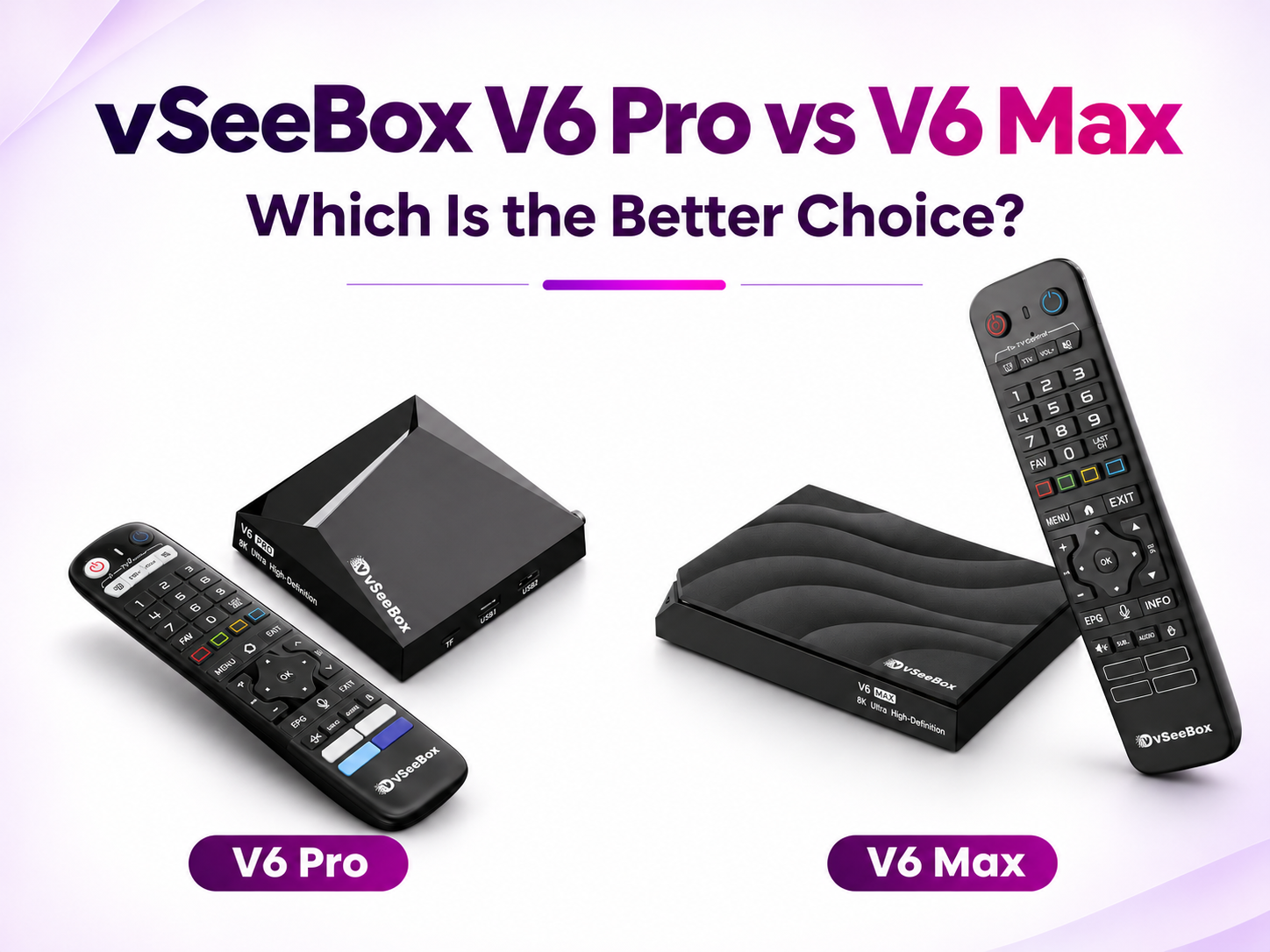
Trying to decide between the vSeeBox V6 Pro and V6 Max? Both run Android 14, have 4GB of RAM, and come with a voice remote. Each model includes four preinstalled apps, and neither supports split-screen viewing.
The main differences are storage, the remote, and the Ethernet port. The V6 Max has more storage and a backlit remote. The V6 Pro costs less at the listed prices below and has a Gigabit Ethernet port.
Here’s what to consider when choosing between them.
vSeeBox V6 Pro vs V6 Max Comparison Chart
| Feature | vSeeBox V6 Pro | vSeeBox V6 Max |
|---|---|---|
| Listed price* | $359 | $369 |
| Operating system | Android 14 | Android 14 |
| RAM | 4GB | 4GB |
| Storage | 32GB | 64GB |
| Ethernet port | 1000 Mbps | 100 Mbps |
| Voice remote | Yes | Yes |
| Backlit remote | No | Yes |
| Preinstalled apps | 4 | 4 |
| Split-screen viewing | No | No |
Quick answer: Choose the V6 Pro if you want to spend less or prefer Gigabit Ethernet. Choose the V6 Max if you want more storage and a backlit remote.
Storage: Is 64GB Better Than 32GB?
The V6 Pro comes with 32GB of storage, while the V6 Max has 64GB.
Storage is the space used by apps, system software, and other files. If you mainly plan to use the preinstalled apps and add only a few compatible apps, the V6 Pro may be enough.
The V6 Max gives you more room if you expect to install additional apps over time. It’s the more flexible choice if you’d rather have extra space available from the start.
The operating system and preinstalled software use part of the advertised storage, so the entire 32GB or 64GB will not be available for your own files and apps.
Remote Control: The Max Has Backlit Buttons
Both models include a voice remote, giving you another way to enter supported searches instead of typing with the on-screen keyboard.
The difference is that the V6 Max remote has backlit buttons. The V6 Pro remote does not.
That’s a small detail that can make a difference in daily use. If you often watch TV with the lights dimmed, the illuminated buttons make it easier to find the controls. If you usually watch in a well-lit room, you may not need the extra feature.
Ethernet: The V6 Pro Has the Faster Wired Port
If you plan to connect your box to the internet with an Ethernet cable, the V6 Pro and V6 Max have different port speeds:
- V6 Pro: 1000 Mbps Gigabit Ethernet
- V6 Max: 100 Mbps Ethernet
The Pro’s port has a higher maximum wired network capacity. That can be useful if you prefer a Gigabit connection as part of your home setup.
However, a faster Ethernet port does not automatically mean better streaming. Your internet plan, router, network traffic, and the app or service you’re watching can all affect your experience.
Both models can also connect through Wi-Fi. If you’re deciding based on your network setup, consider where the box will sit and whether running an Ethernet cable to your TV is practical.
Do V6 Pro and V6 Max Support Split-Screen Viewing?
Neither the vSeeBox V6 Pro nor the V6 Max supports split-screen viewing, also called multiview.
If you want to follow more than one supported program on the same TV, consider the vSeeBox V6 Plus. It supports split-screen viewing in compatible apps.
Both the V6 Pro and V6 Max come with four preinstalled apps. Additional compatible apps can be installed depending on your needs.
Is the V6 Max Worth $10 More?
At the prices listed on November 5, 2026, the V6 Max costs $10 more than the V6 Pro.
For that difference, the Max gives you:
- 64GB of storage, compared with 32GB on the Pro.
- A backlit voice remote, compared with a non-backlit voice remote on the Pro.
If you want more room for apps and often watch TV in a dark room, the Max may be worth the extra $10.
The V6 Pro still has an advantage: its 1000 Mbps Ethernet port. If you prefer a Gigabit wired connection and don’t need the extra storage or backlit buttons, the Pro may be the better fit.
Which vSeeBox Should You Get: V6 Pro or V6 Max?
Choose the V6 Pro if you:
- Want to spend less.
- Prefer a Gigabit Ethernet port.
- Plan to use the preinstalled apps and only a few additional compatible apps.
- Don’t need backlit remote buttons.
Choose the V6 Max if you:
- Want more storage for compatible apps.
- Often watch TV in a dim room.
- Prefer a backlit voice remote.
- Are comfortable with Wi-Fi or a 100 Mbps Ethernet connection.
Where to Buy vSeeBox V6 Pro or V6 Max
You can shop the vSeeBox V6 Pro and V6 Max at vSeeDirect, an authorized vSeeBox retailer.
If you want a Gigabit Ethernet port and a lower listed price, explore the V6 Pro. If you prefer more storage and a backlit remote, take a closer look at the V6 Max.
Not sure which one fits your home setup? Contact our team before ordering.
P.S. Looking for a vSeeBox?
Use code vseebox28 at checkout to save $35 on your order.