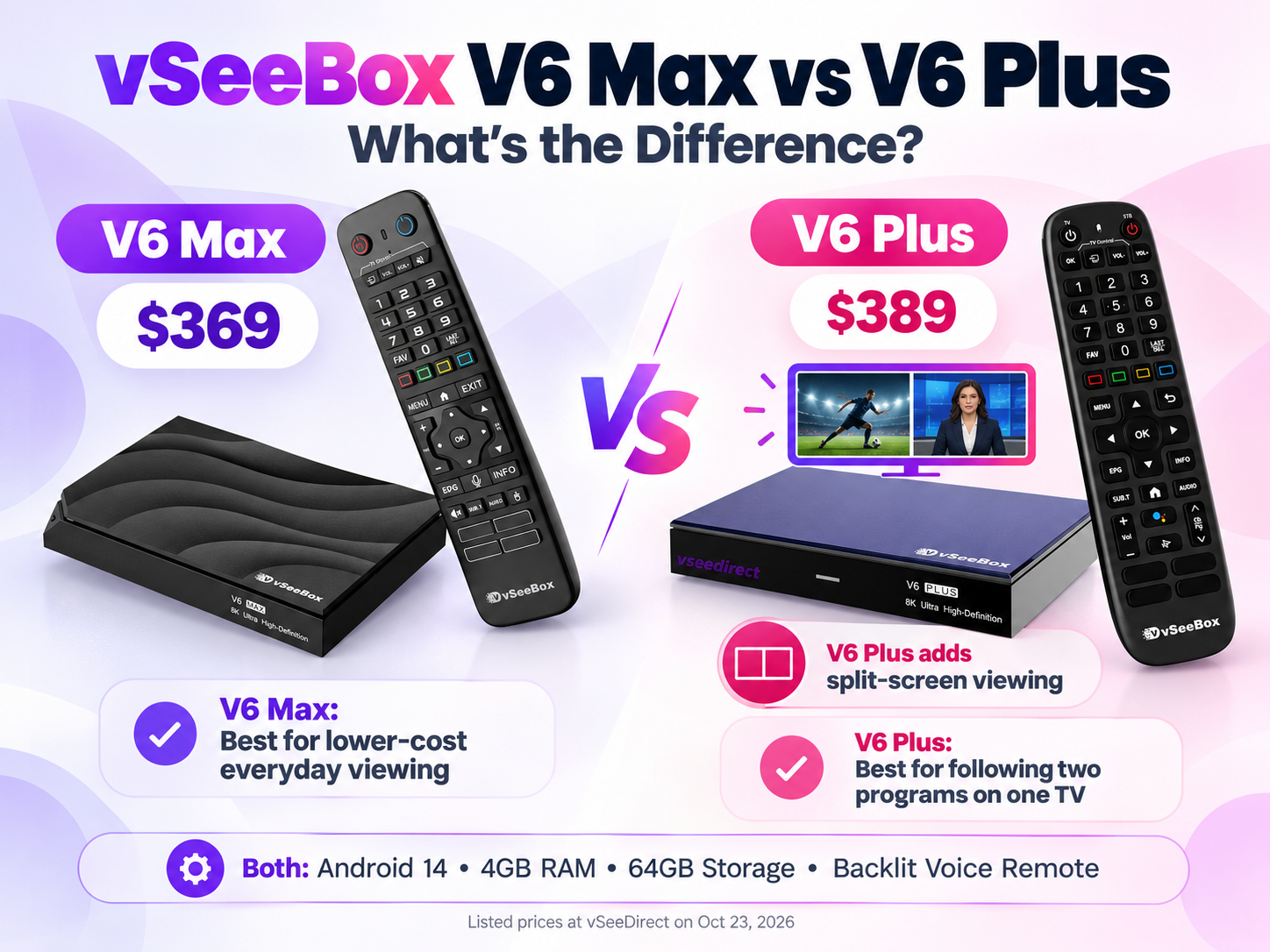
The main difference between vSeeBox V6 Max and V6 Plus is split-screen viewing. Both include Android 14, 4GB RAM, 64GB storage, and a backlit voice remote. V6 Plus adds split-screen viewing in supported apps.
At vSeeDirect’s listed prices on October 23, 2026, V6 Max costs $369, and V6 Plus costs $389, before applicable discounts.
Choose Max to spend less if you watch one program at a time. Choose Plus if you want to follow two programs on one TV.
V6 Max vs V6 Plus Comparison Chart
| Feature | V6 Max | V6 Plus |
| Listed price (USD) | $369 | $389 |
| Operating system | Android 14 | Android 14 |
| RAM / Storage | 4GB / 64GB | 4GB / 64GB |
| Processor | Amlogic 905Y4 | Amlogic 905Y5 |
| Backlit voice remote | Yes | Yes |
| Preinstalled apps* | 4 | 6 |
| Split-screen viewing | No | Yes, in supported apps |
| Best for | Saving money on everyday viewing | Following two programs on one screen |
V6 Plus vs V6 Max: What Does the Extra $20 Buy?
Split-screen viewing is the clearest reason to choose V6 Plus.
When two programs overlap, you usually have to switch between them. With Plus, supported split-screen playback keeps both visible on the same TV.
For sports fans, this can mean watching one game while keeping an eye on another. You can follow the action without repeatedly leaving your main program.
Plus also includes two additional apps in our listed configuration. But more apps alone should not decide your purchase. Ask whether their features fit the way you watch.
What Do Both Models Offer?
You do not need to choose Plus to get these everyday conveniences:
- 64GB storage: Both models provide the same storage capacity.
- 4GB RAM and Android 14: Both have the same RAM capacity and Android version.
- Backlit voice remote: Illuminated buttons are easier to find when watching with the lights low, while voice control reduces typing.
Their processors differ, but the model number alone does not establish how much faster one will feel. Your connection, apps, and playback source also affect performance.
Does vSeeBox V6 Max Support Multiview or Split Screen?
V6 Max does not offer the split-screen feature available on V6 Plus.
If you want to follow two channels on the same TV, choose Plus and use a supported app. Having the same 64GB storage capacity does not give Max the same viewing features.
Which vSeeBox Should You Buy?
Choose V6 Max for Lower-Cost Everyday Viewing
If you normally watch one program at a time, V6 Max is the practical choice. You get 64GB storage and a backlit voice remote while spending $20 less at the listed prices.
Shop V6 Max — View Details & Current Price
Choose V6 Plus for Split-Screen Viewing
If you regularly want to follow two programs, V6 Plus gives you a clear reason to upgrade. The extra $20 buys a viewing feature Max does not offer, while retaining the same storage capacity and remote conveniences.
Shop V6 Plus — View Details & Current Price
Buy from vSeeDirect
vSeeDirect is an authorized vSeeBox retailer serving the United States and Canada. Shipping is available to North America.
Considering other models? See our full vSeeBox comparison chart.
PS: save on your vSeeBox purchase with code 353535 at checkout
PS: save on your vSeeBox purchase with code 353535 at checkout